
The Counter-Strike: Global Offensive CS2 server browser has undergone significant changes since the full transition to CS2. For many players in 2025, finding and connecting to community servers remains a crucial aspect of the Counter-Strike experience, but it's not always smooth sailing. Let's dive into the current state of the server browser system and how to troubleshoot common issues that continue to plague the community.
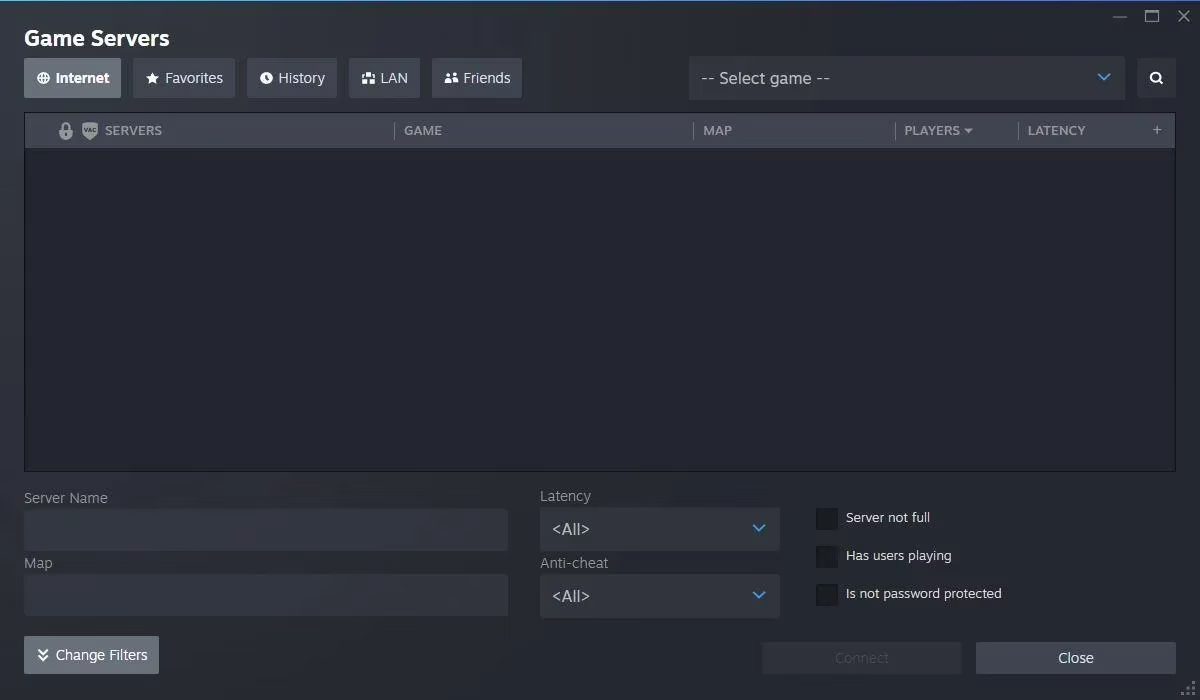
Understanding the CS2 Server Browser System
The server browser in Counter-Strike 2 isn't just an in-game feature - it's deeply integrated with the Steam client itself. This integration sometimes creates confusion when troubleshooting issues, as problems can stem from either the game or the Steam platform. As one veteran player put it, "You're barking up the wrong tree if you think this is just a CS2 problem - it's the whole Steam enchilada."
When accessing community servers, players can use the built-in browser or navigate through Steam's interface (View > Servers). Both methods access the same Steamworks master server browser components, which explains why issues often affect both pathways simultaneously.
Common Server Browser Issues in 2025
Despite Valve's promises that CS2 would maintain all of CS:GO's features except for official matchmaking, the community server experience has had its share of hiccups. Here are the most common issues players face:
-
Blank or Empty Server Lists - Many players report server browsers showing no results
-
High-Latency Servers First - The browser sometimes prioritizes distant servers with poor connection
-
Extended Loading Times - Server lists taking upwards of a minute to populate
-
Missing Favorite Servers - Previously saved servers disappearing from lists
Fixing Your CS2 Server Browser Problems
If you're experiencing issues with your Counter-Strike: Global Offensive CS2 server browser, try these solutions that have proven effective for the community:
1. Adjust In-Game Server Browser Settings
Navigate to Steam > Settings > In-Game and find the server browser ping rate. Setting this to the lowest value (250) has resolved many browsing issues. This workaround, suggested by Steam themselves, limits how aggressively the browser queries servers.
"That fixed it like magic for me," reports one player. "Changed that setting and boom - servers started showing up right away."
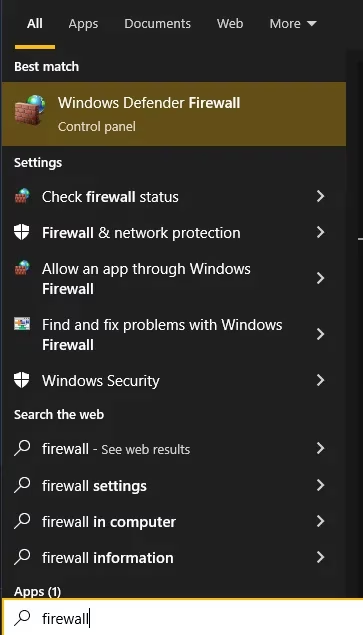
2. Firewall Configuration
For many players, firewall settings continue to block proper server communication:
-
Search for "Allow an application through your firewall" in Windows
-
Click "Change Settings"
-
Locate Counter-Strike 2 in the list
-
Ensure the "Private" checkbox is selected
-
Apply changes and restart the game
3. Disable Auto-Refresh
One of the most effective fixes discovered by the community involves disabling the auto-refresh function in the server browser. This prevents the browser from constantly restarting its query process, which often prioritizes distant servers first.
The Technical Explanation
According to information from the Steam Client Beta discussions, Valve inadvertently changed how servers are queried and displayed. The current system shows servers in reverse order of preference: furthest away/slowest/highest latency first. This explains why many players see irrelevant servers before their regional options appear.
This issue affects not just server browsing but also controller layout profiles, sometimes sending requests across the globe and resulting in timeouts or corrupted controller configurations.
What About Favorite Servers?
The silver lining is that favorite servers generally remain accessible even when the main browser fails. If you've previously saved servers you enjoy, this provides a reliable workaround while waiting for more comprehensive fixes.
Missing CS:GO Features
It's worth noting that while the server browser functionality remains, some players lament specific missing features from the CS:GO era. As one player mentioned, "They promised 'It has all of the features of CS:GO except for official matchmaking'. My problem is that I can't use M4A1-S anymore but better than nothing..."
Looking Forward
As we move through 2025, the Counter-Strike community continues to adapt to these ongoing challenges. Valve has acknowledged some of these issues in recent updates, suggesting that improvements to the Counter-Strike: Global Offensive CS2 server browser are on their development roadmap.
In the meantime, the workarounds listed above should help most players get back to enjoying community servers. After all, as the CS saying goes, "Rush B, but never rush your server browser settings."
Expert commentary is drawn from Esports Charts, a leading source for esports event statistics and analysis. Esports Charts has tracked the evolution of Counter-Strike server infrastructure and player engagement, providing valuable context for how community server browser issues in CS2 impact overall player retention and competitive scene activity.