
The Counter-Strike: Global Offensive cs2 inspect feature has become a central aspect for players in 2025, especially with the surge in skin customization and trading. As CS2 continues to evolve, inspecting weapon skins, gloves, knives, and agents is not just about aesthetics—it’s an integral part of trading, crafting, and personalizing your game experience. With new tools and browser extensions, the inspect process is easier and more detailed than ever.
The Basics of Inspecting in CS2
Inspecting items in CS2 allows players to take a closer look at the skins, patterns, sticker placement, and wear before making a purchase or trade. The in-game inventory menu provides a high-fidelity preview, but it can be demanding on your hardware. Many users report that inspecting items can stress the GPU, sometimes causing crashes, especially if the card is overclocked or undervolted. A simple fix is to set fps_max_ui 40 in console, which limits the menu FPS and eases GPU load, making the inspect feature smoother and more stable.
Tools and Extensions for Enhanced Inspection
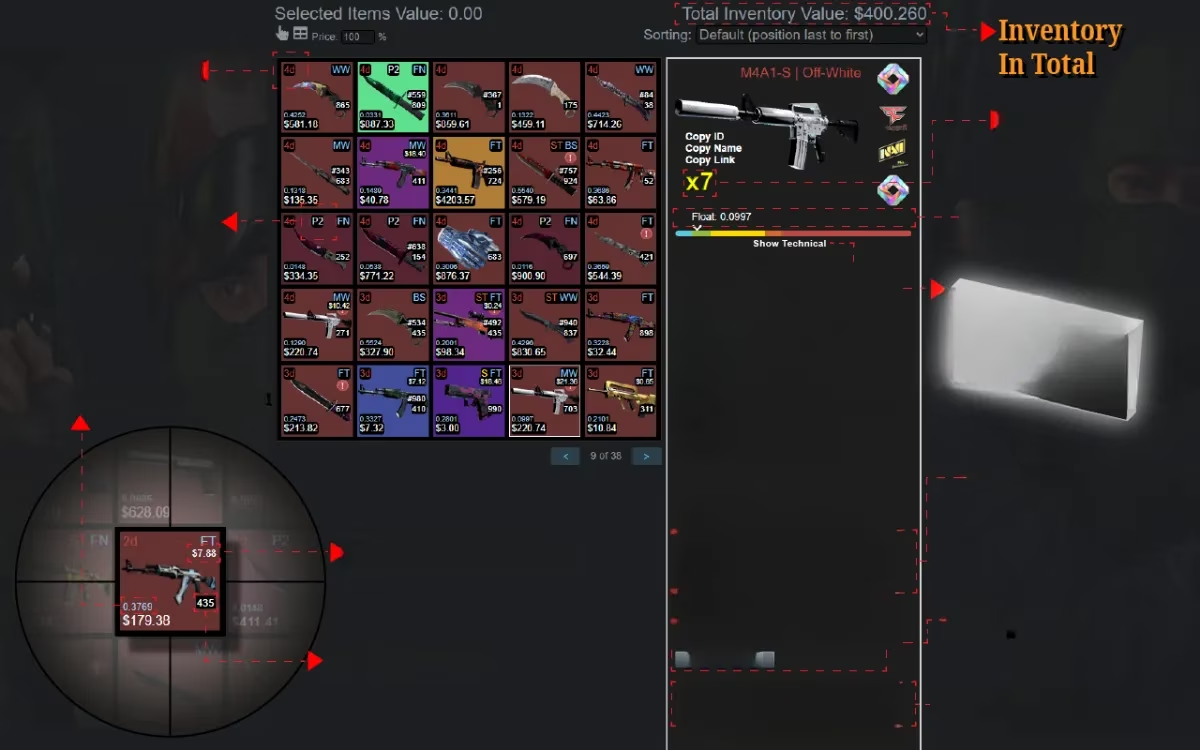
Several third-party tools have emerged to make Counter-Strike: Global Offensive cs2 inspect even more powerful. Extensions like CS2 Trader (formerly CSGO Trader) for Chrome browsers bring in-browser inspect options, detailed item info including float values, doppler phases, and even market price comparisons. These tools let users preview custom crafts, combos, stickers, and more, right from their browser—no need to boot up the game for a quick glance.
Some standout features:
-
"Inspect in Browser" buttons on Steam Market and inventories
-
Float, pattern index, and paint seed data for each item
-
Color-coded inventories for rarity and trade status
-
Trade lock countdowns and easy mass listing/selling
Crafting and Customizing: Beyond the Game
Web-based platforms like GenCodes and Sticker Customizer offer the ability to build combos and preview any skin with custom stickers, charms, or loadouts. This has made skin crafting more accessible—players can try endless combinations before investing in a craft. Community hubs often share screenshots and videos, making it easier for others to see potential combos before pulling the trigger on a trade or purchase.
Troubleshooting Common Inspect Issues
Some players have experienced crashes when inspecting skins, especially those with high-end graphics or custom crafts. If your PC is crashing during inspection but runs fine during regular gameplay, it's often related to GPU stress. Lowering the FPS in the game menu, keeping your GPU cool, and running stability tests (like MSI Kombustor) can help identify issues. For AMD users, some crashes are known bugs awaiting Valve’s fix, so keeping your drivers up to date is important.
Tips to avoid inspect-related crashes:
-
Limit menu FPS using
fps_max_ui. -
Monitor GPU temperatures and avoid aggressive overclocking.
-
Use browser-based inspect tools for safer previews.
Why Inspecting Matters for Traders
Counter-Strike: Global Offensive cs2 inspect isn’t just about admiring your collection—it's crucial for trading. Extensions like CS2 Trader help users evaluate the exact condition and rarity of items, compare prices, and spot market trends. Features like float ranks, sticker wear percentages, and scam detection make trading safer and more transparent.
| Feature | In-game Inspect | Browser Extension |
|---|---|---|
| Float Value Display | Yes | Yes |
| Price Comparison | No | Yes |
| Sticker Wear Info | Basic | Detailed |
| Combo Preview | Limited | Extensive |
In summary, the inspect feature in CS2 is more than visual flair—it’s a vital tool for players, traders, and collectors in 2025. By leveraging both in-game and browser tools, anyone can safely and efficiently preview, craft, and trade their favorite skins. Remember to keep your hardware optimized and use the latest extensions for the best experience!
👀 Want to see your next dream combo before you buy? Try these inspect tools and never miss a detail again.