
In 2026, Counter-Strike 2 is no longer the shiny new beta that Valve teased during the Summer of 2023. It is the live, free-to-play tactical shooter that officially replaced CS:GO on September 27, 2023. For anyone who has not yet installed it, or for a returning player who wants a clean start, the download process is still one of the easiest parts of the journey. The harder parts? Aiming, utility, and resisting the urge to blame the sub-tick system after a missed AWP shot. So what does a player actually need to do to download CS2, and what should they check before their first match?
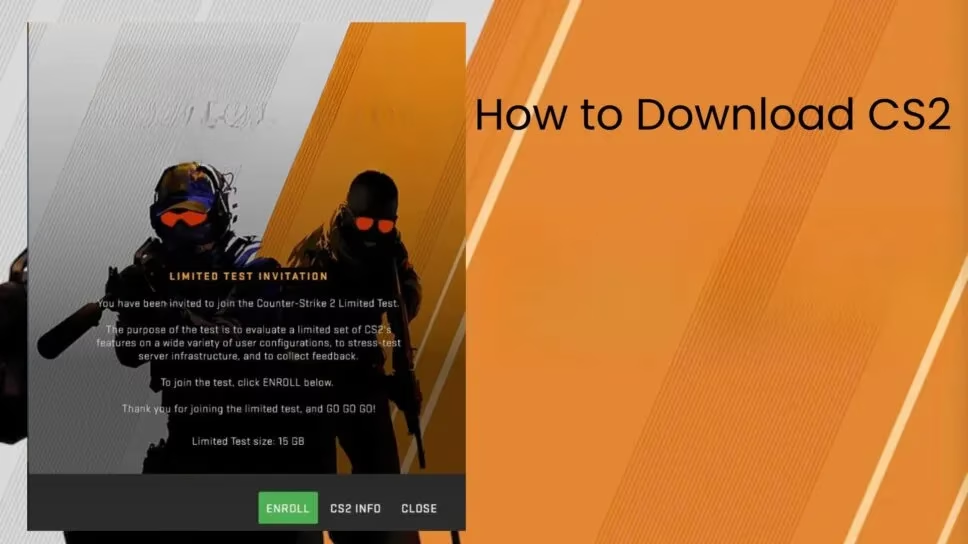
The short answer: CS2 is free on Steam
Counter-Strike 2 is free-to-play. A player does not need to buy a copy, pre-order a deluxe edition, or hunt for a beta key. The game lives on Steam, and the official store page is the only reliable place to get it on PC. Existing CS:GO owners were automatically upgraded when CS2 launched, and in 2026 the old CS:GO client is no longer the main experience. Prime Status remains an optional paid upgrade that can affect matchmaking and rewards, but it is not required just to download and play.
Step-by-step: how to download CS2
-
Open Steam and log in to the correct account.
-
Use the search bar or store page to find Counter-Strike 2.
-
Click the Install or Play Game button. Since the game is free, there is no checkout step.
-
Choose an install location. An SSD is strongly preferred because faster loading helps with map transitions and general responsiveness.
-
Let Steam download the game. The client will show progress, download speed, and disk usage.
-
Once the download is complete, click Play.
-
Adjust video settings, sensitivity, and key bindings before entering a real match.
If the game already appears in the Steam library, the player can simply select it and press Install. There is no need to download a separate launcher or create another account. Valve keeps the process intentionally simple, which is one reason CS2 remains so accessible in 2026.
Check the system requirements before installing
CS2 has improved graphics and a slightly higher requirement than CS:GO, but Valve has also worked to keep the game playable on older hardware. The sub-tick system is designed to adapt to different systems, so a player with a modest PC can still enjoy the game even if the experience is not the absolute best version of it.
| Component | Minimum target | Comfortable for high refresh rate |
|---|---|---|
| OS | Windows 10 64-bit | Windows 11 64-bit |
| CPU | Intel Core i5-750 or AMD equivalent, 4 threads | Modern 6-core CPU |
| RAM | 8 GB | 16 GB or more |
| GPU | 1 GB+ DirectX 11, Shader Model 5.0 | GTX 1060 / RX 580 class or better |
| Storage | Around 85 GB | SSD with extra free space |
The minimum column is about getting the game running. The comfortable column is about smooth performance, stable frame times, and a competitive edge. A casual player does not need 400 FPS to have fun. Many players are perfectly happy with 180 FPS as long as the game feels responsive and they can enjoy it with friends. Professional players, however, often chase every frame because tiny advantages matter at the highest level.
Why FPS matters in CS2
FPS is one of the most important statistics in Counter-Strike 2. Higher frame rates reduce input latency and make tracking, flicking, and spray control feel more consistent. A player who drops from 240 FPS to 60 FPS in a smoke or during a chaotic execute will feel the difference immediately. That does not mean everyone needs a flagship GPU. It means players should know their numbers and set expectations accordingly.
How to show FPS in CS2
There are a few simple ways to check performance:
-
Open the developer console and type
cl_showfps 1. This displays a basic FPS counter. -
Use the Steam overlay. In Steam settings, under In Game, enable the in-game FPS counter.
-
Use a third-party monitoring tool if deeper frame-time data is needed.
-
For network performance, players can explore net graph options in the console, though FPS and network stats answer different questions.
If the FPS is lower than expected, the usual fixes are updating GPU drivers, lowering shadow and texture settings, disabling unnecessary background apps, and making sure the game is installed on an SSD. A quick settings review often does more than a full hardware upgrade.
The sub-tick difference
Valve introduced the sub-tick system to make CS2 feel more precise and consistent across different machines. Instead of tying every action to a traditional tick, the game can process inputs in smaller increments. In practice, this means a player on a high-end system can compete at a very high level, while an average player on a mid-range or older system can still enjoy the game. The experience depends on the system capability, but the design goal is inclusion rather than exclusion.
Common download issues and quick fixes
Most CS2 downloads go smoothly, but problems can happen. If the install stalls, a player can try restarting Steam, checking free disk space, verifying the integrity of game files, or temporarily pausing antivirus software. If the game launches but stutters, updating drivers and lowering graphics settings is the first move. If matchmaking is unavailable, checking Steam status and game updates is the next step.
Final thoughts
Downloading CS2 in 2026 is not complicated. The game is free on Steam, the install process takes only a few clicks, and Valve has built the experience to scale from budget PCs to esports-grade rigs. The real challenge starts after the download bar reaches 100 percent. Players who check their system, monitor their FPS, and understand the sub-tick system will be far better prepared for their first competitive match. So why wait? The only thing standing between a new player and Counter-Strike 2 is a few clicks and a little patience.